
한글 · Romanization
Read any
Korean.
Instantly.
The free Korean-to-Romanization translator and OCR app for iPhone and Android. Type it, paste it, or point your camera at it — get the reading in a tap.


Free · On-device · No account · Native iOS & Android
What it does
Three ways to make Hangul readable.
Romanization
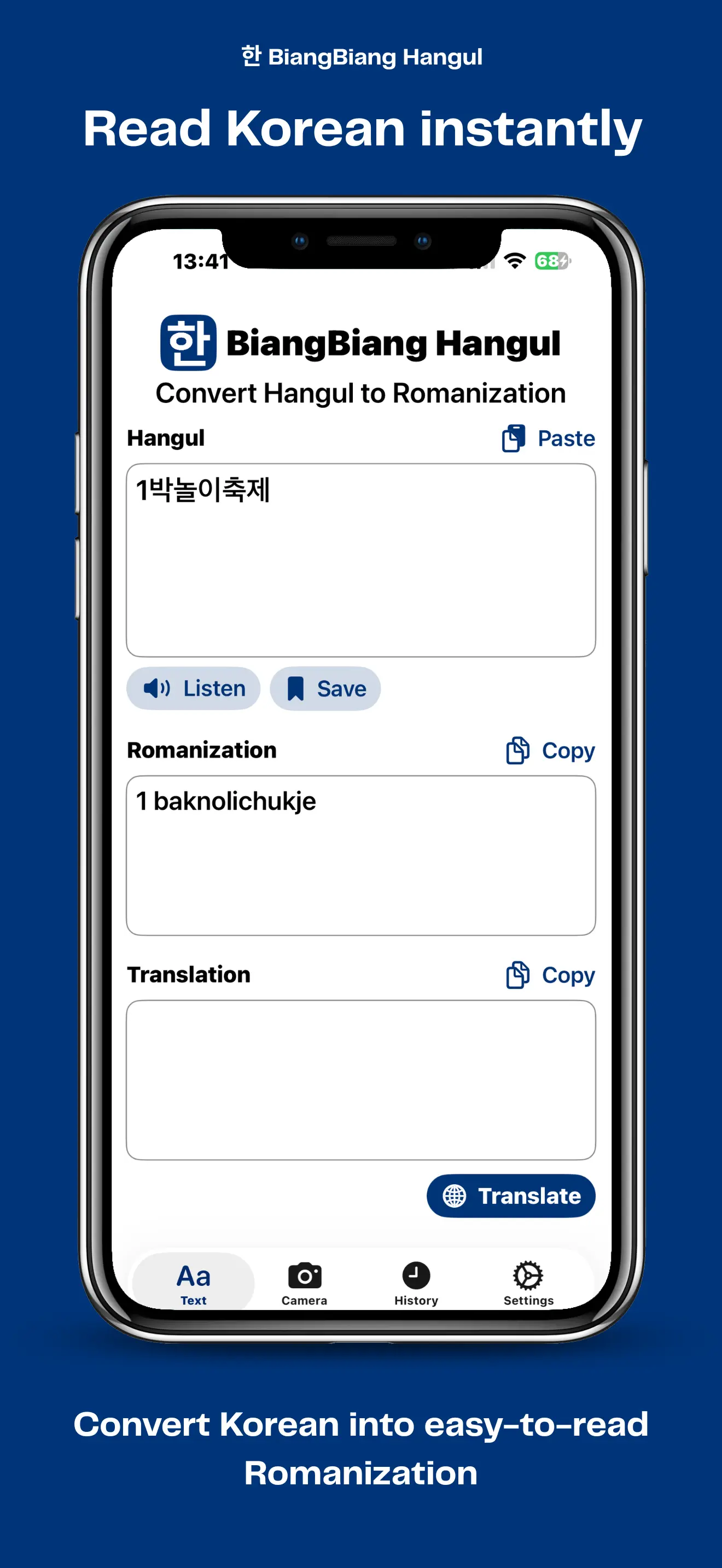
Convert Hangul to its Revised Romanization (안녕 → annyeong) so you can read and pronounce Korean out loud, even before you know the alphabet.
Live camera OCR
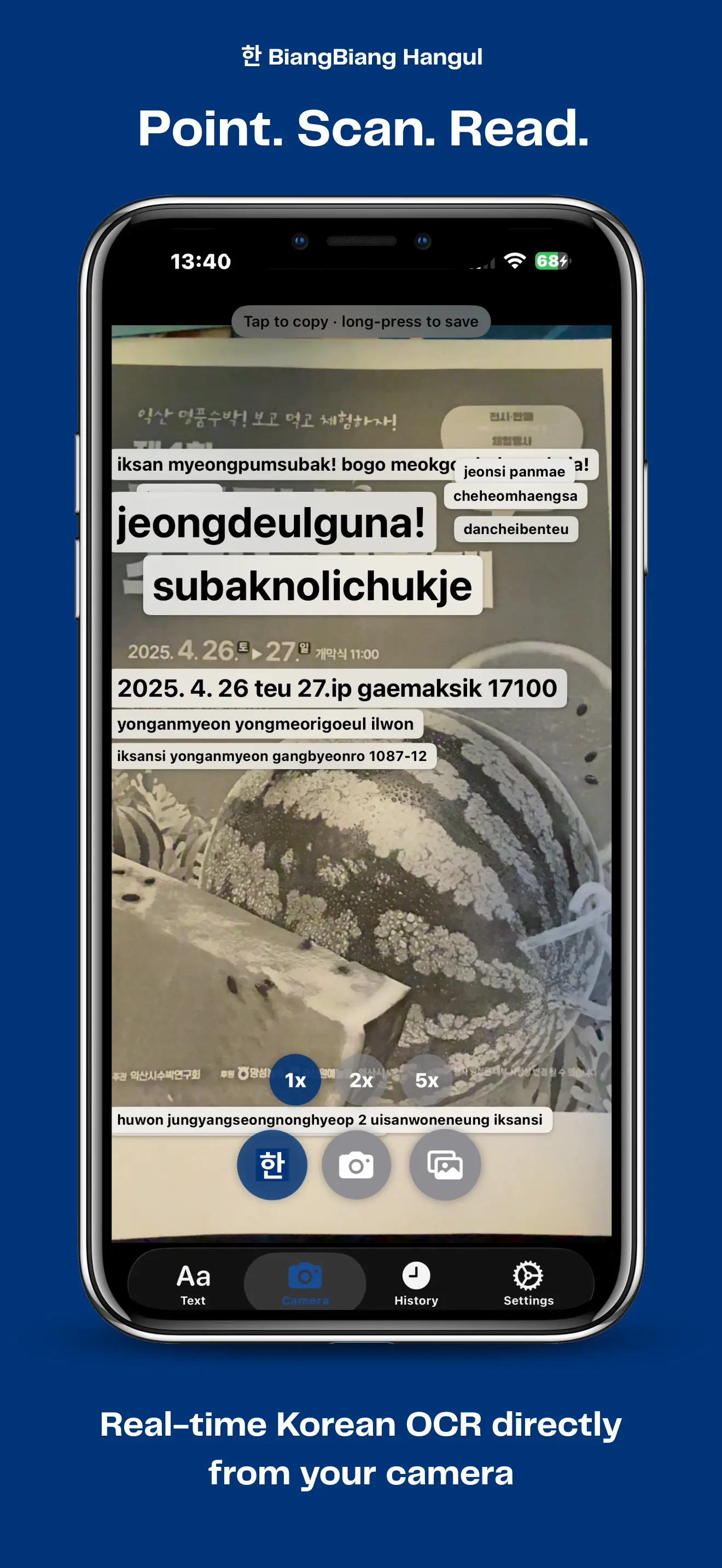
Point your phone at a sign, menu, or book page. The camera reads Korean in real time and overlays each word with its romanization. Works on gallery photos too.
On-device translate
Translate Korean into your language locally — no internet, no servers, no account. Your text and images never leave the phone.
See it in action
From characters to camera, in one tap.
Convert Korean Hangul to Revised Romanization in seconds
BiangBiang Hangul is a free, native mobile app that turns Korean script (한글, Hangul) into its Revised Romanization. Paste or type any Korean text — a song lyric, a menu, a chat message, a textbook paragraph — and get the romanized pronunciation instantly. Non-Korean characters such as Latin letters, numbers, punctuation and emoji are preserved in place, so mixed-language text stays readable.
The app is built natively for both platforms: a SwiftUI version for iPhone and iPad, and a Jetpack Compose version for Android. There is no shared cross-platform layer, which means each app feels at home on its operating system and uses the OS-level translation engines for speed and offline support.
Scan Korean text with OCR from photos and live camera
Point your phone at a Korean sign, restaurant menu, book page or product label and BiangBiang Hangul will read the text for you. The OCR engine — Apple Vision on iOS and Google ML Kit on Android — recognizes Korean in real time from the camera feed, and also works on photos from your gallery. Each detected word is overlaid with its romanization, making it easy to study, pronounce, or look up unfamiliar Hangul on the spot.
Translate Korean to your language
Beyond pronunciation, BiangBiang Hangul can translate Korean text into your preferred language using on-device translation: the iOS Translation framework on iPhone and Google ML Kit Translate on Android. Translations run locally once the language pack is downloaded, so the app keeps working without an internet connection and without sending your text to a third-party server.
Who is it for?
- Korean learners who need quick romanized readings while studying.
- K-pop and K-drama fans who want to read along with lyrics and subtitles.
- Travelers in Korea who need to read signs, menus, and transit boards.
- Teachers and students who work with Korean textbooks, flashcards, or handwritten notes.
- Anyone who receives Korean messages, documents or photos and wants to understand them.
Key features
- Hangul to Revised Romanization conversion (e.g. annyeong for 안녕).
- OCR from photos and from the live camera feed.
- On-device translation of Korean into many target languages.
- Non-Korean characters preserved in place for mixed-language text.
- Privacy-friendly: text and images stay on your device.
- Free to download on the App Store and Google Play.
- Native iOS (SwiftUI) and Android (Jetpack Compose) apps.
Why it is called BiangBiang Hangul
BiangBiang is a small family of apps that make different writing systems easy to read at a glance. This one is dedicated to Korean: it takes Hangul (한글) and instantly shows you how to pronounce it, so reading Korean stops feeling like a puzzle and starts feeling natural.